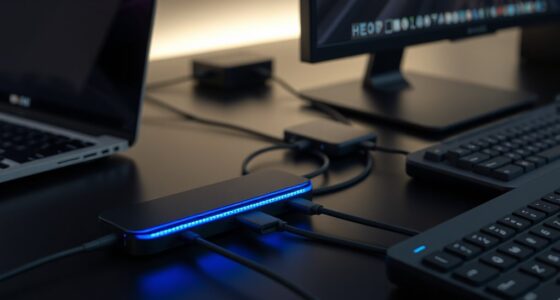
Choosing the right USB-C hub for your MacBook can drastically enhance your device’s connectivity, whether for work, creative projects, or entertainment. The best options offer a combination of multiple ports, high-speed data transfer, and reliable power delivery. The best overall pick provides a balanced mix of performance and versatility, while some models excel in specific features like extra ports or premium build quality. However, buyers often face tradeoffs between price, port variety, and size. Continue reading for a detailed breakdown of these top contenders and what makes each stand out.

Turn your wind-down time into listening time
- Thousands of audiobooks, podcasts and originals
- Listen on your phone, tablet or Echo — also offline
- Cancel anytime
Key Takeaways
- The top-ranked hubs balance port variety with compact design, avoiding bulky models that limit portability.
- High-speed data transfer and power delivery are key factors that differentiate premium options from budget picks.
- Multi-port configurations, especially those including SD card readers and HDMI, are best suited for creative professionals.
- Build quality and material choice often reflect the price point, with premium models offering better durability.
- Compatibility and future-proofing matter; some hubs support Thunderbolt 3/4 and 8K video output, ideal for high-end MacBooks.
| Anker USB-C Hub for MacBook, 7-in-2 Mac Dock with 4K@60Hz HDMI |  | Best Overall | Number of ports: 7-in-2 | HDMI resolution: 4K@60Hz | Data transfer speed: 40 Gb/s | VIEW ON AMAZON | See Our Full Breakdown |
| Acer USB C Hub, 5-in-1 USB-C to HDMI Adapter with 4K@60Hz for Laptop/Mac |  | Best Value | HDMI Output: 4K@60Hz | Power Delivery: 100W input, 90W output | USB-C Port: 5Gbps data transfer | VIEW ON AMAZON | See Our Full Breakdown |
| Acer USB C Hub 7-in-1 Multi-Port Adapter for Laptop and Mac Devices |  | Best for Versatility | Number of ports: 7 | HDMI output: 4K@30Hz | USB 3.1 ports: 2 | VIEW ON AMAZON | See Our Full Breakdown |
| Anker USB C Hub, 5-in-1 USB-C to HDMI Splitter with 4K Display |  | Best for Basic Expansion | HDMI Output: 4K@30Hz | USB-C Data Port: 5 Gbps | USB-A Ports: 2 x 5 Gbps | VIEW ON AMAZON | See Our Full Breakdown |
| Anker USB-C Hub, 5-in-1 USB Hub for Laptops, 4K HDMI Multiport Adapter |  | Best for Multi-Device Compatibility | Ports: 2 USB-A 2.0, 1 USB-A 3.0, 1 HDMI | Power Delivery: supports up to 90W with external charger | Video Output: 4K at 30Hz | VIEW ON AMAZON | See Our Full Breakdown |
| Hiearcool 7-in-1 USB C Hub, USB C Dongle Compatible for MacBook, Space Gray |  | Best Overall for Versatile Connectivity | Number of ports: 7 | Color: Space Gray | HDMI output: 4K@30Hz | VIEW ON AMAZON | See Our Full Breakdown |
| MOKiN USB C Hub HDMI Adapter, 7-in-1 Dongle with SD/TF Card Reader, 100W PD, and USB 3.0 Ports for MacBook Pro/Air, Dell XPS, Lenovo ThinkPad |  | Best for High-Resolution, High-Refresh-Rate Video | HDMI Output: 4K@60Hz | USB 3.0 Ports: 2 | USB C Data Port: 1 | VIEW ON AMAZON | See Our Full Breakdown |
| USB C Hub Adapter for MacBook Pro and Air (2016-2026), 8-in-2 Multiport Dock with HDMI 4K@60Hz, Thunderbolt, USB-C, USB 3.0, SD Card Reader |  | Best for Power and Professional-Grade Connectivity | Hardware Interface: HDMI, MicroSD, Thunderbolt, USB 2.0, USB 3.0, USB Type C | Additional Features: Fast Charging, 40 Gbps data transfer | Compatible Devices: MacBook Air 2018-2026, MacBook Pro 2016-2026 | VIEW ON AMAZON | See Our Full Breakdown |
| VENTION 6-in-2 USB C Hub for MacBook and iPad, 80Gbps Detachable Magnetic 8K USB-C Dock with 4K@240Hz HDMI, 140W PD Charging, Silver |  | Best for Ultra-High-Resolution and Magnetic Flexibility | Ports: 2 USB-C (fixed and magnetic), 2 USB-A, HDMI | Video Output: 8K@60Hz, 8K@240Hz | Power Delivery: 140W | VIEW ON AMAZON | See Our Full Breakdown |
| UANTIN USB C Hub, 7-in-1 Multiport Adapter for Laptop and Mac Type C Devices |  | Best for Balanced Performance and Compatibility | Number of ports: 7 | HDMI output: 4K@30Hz | USB-A ports: 3 | VIEW ON AMAZON | See Our Full Breakdown |
| Belkin 100W 10Gbps Multiport USB-C Hub Adapter for Laptop, iPad, PC, & More |  | Best Overall USB-C Hub for Speed and Compatibility | Ports: 4 USB-C 3.2 Gen 2 | Transfer Speed: up to 10Gbps | Power Delivery: up to 100W | VIEW ON AMAZON | See Our Full Breakdown |
| UGREEN USB C Hub 5-in-1 Multiport USB Adapter with 4K HDMI and 100W Power Delivery |  | Best Versatile Connectivity for MacBook and Apple Devices | Hardware Interface: HDMI, USB 2.0, USB 3.0, USB Type C | Additional Features: Plug and Play, Portable | Total USB Ports: 5 | VIEW ON AMAZON | See Our Full Breakdown |
| BENFEI USB-C Hub 5-in-1 with 4K HDMI, 100W Power Delivery, 3 USB-A Ports, Compatible with MacBook Pro/Air, iPad Pro, iMac, iPhone 15 Pro/Pro Max, XPS, Thinkpad |  | Best Portable Hub for Mobile Office and Vivid Display Support | Ports: 1 HDMI, 3 USB-A | Power Delivery: 100W | HDMI Resolution: 4K 30Hz | VIEW ON AMAZON | See Our Full Breakdown |
| Anker USB C Hub, 7-in-1 Multi-Port USB Adapter with 4K@60Hz HDMI |  | Best for High-Quality Video & Versatile Connectivity | Number of ports: 7 | HDMI port: Yes, 4K@60Hz | USB-A ports: 2, 3.0 | VIEW ON AMAZON | See Our Full Breakdown |
| Anker USB-C Hub, 8-in-1 Multiport Ethernet Adapter with 4K@60Hz HDMI Port |  | Best for Wired Connectivity and High-Quality Video | Hardware Interface: Ethernet, HDMI, MicroSD, USB, USB Type C | Additional Features: Fast Data Transfer, HDMI™, Heat Resistant | Total USB Ports: 3 | VIEW ON AMAZON | See Our Full Breakdown |
| usbc hubs for macbook | Power delivery | Compatibility |
|---|---|---|
| Anker USB-C Hub for MacBook | up to 100W | — |
| Acer USB C Hub | 100W input, 90W output | Windows, macOS, ChromeOS |
| Acer USB C Hub 7-in-1 Multi-Po | — | MacBook Pro, MacBook Air, Windows, ChromeOS, Linux |
| Anker USB C Hub | supports up to 85W | MacBook, Windows 10/11, ChromeOS, Thunderbolt |
| Anker USB-C Hub | supports up to 90W with external charger | macOS 12+, Windows 10/11, ChromeOS |
| Hiearcool 7-in-1 USB C Hub | 100W | — |
| MOKiN USB C Hub HDMI Adapter | 87W | MacBook Pro/Air, Dell XPS, Lenovo ThinkPad |
| USB C Hub Adapter for MacBook | — | — |
| VENTION 6-in-2 USB C Hub for M | 140W | MacBook, MacBook Pro, iPad |
| UANTIN USB C Hub | — | MacBook, MacBook Pro, MacBook Air |
| Belkin 100W 10Gbps Multiport U | up to 100W | MacBook, iPad, PC, and more |
| UGREEN USB C Hub 5-in-1 Multip | 100W | MacBook M1/M2/M3/M4/M5, iPad Pro, iMac, iPhone 17 Pro/Pro Max |
| BENFEI USB-C Hub 5-in-1 with 4 | 100W | MacBook Pro/Air, iPad Pro, iMac, iPhone 15 Pro/Pro Max |
| Anker USB C Hub | — | — |
| Anker USB-C Hub | — | — |
More Details on Our Top Picks
Anker USB-C Hub for MacBook, 7-in-2 Mac Dock with 4K@60Hz HDMI
This Anker hub stands out for its combination of high-speed data transfer, multi-monitor support, and compact design, making it a versatile choice for MacBook users who need reliable performance. Compared with the Acer 7-in-1, it offers faster data speeds up to 40 Gb/s and supports dual displays, but it doesn’t support dual external monitors on M1, M2, or M3 Macs, which could be a limitation for power users. Its 100W power delivery ensures quick charging, and the 4K@60Hz HDMI provides crisp visuals. The design avoids obstructing the MagSafe port, which is a plus for maintaining easy access. However, it’s incompatible with the MacBook Neo and doesn’t support dual external displays on certain MacBooks, which limits its flexibility for some setups.
Pros:- Supports blazing-fast data transfer up to 40 Gb/s
- Enables high-quality 4K@60Hz video output
- Compact design avoids blocking the MagSafe port
- Supports up to 100W charging for quick power-up
Cons:- Not compatible with MacBook Neo models
- Dual external monitor support is limited on M1, M2, and M3 Macs
Best for: Power users who need high-speed data transfer and multi-monitor support with minimal obstruction
Not ideal for: Owners of MacBook Neo or users requiring dual external displays on M1/M2/M3 Macs
- Number of ports:7-in-2
- HDMI resolution:4K@60Hz
- Data transfer speed:40 Gb/s
- Power delivery:up to 100W
- Supported MacBooks:Latest MacBook Air and Pro
Our verdict“This hub is ideal for demanding MacBook users who prioritize speed and multi-monitor capabilities, but not for those with specific compatibility needs or dual display requirements on M1 or newer Macs.”
Acer USB C Hub, 5-in-1 USB-C to HDMI Adapter with 4K@60Hz for Laptop/Mac
The Acer 5-in-1 hub offers a solid set of features at a lower price point, making it appealing for those seeking essential connectivity without extra frills. It supports 4K@60Hz HDMI output, comparable to the Anker, but it’s more limited in port variety, with only five total ports. Its 100W pass-through charging supports efficient power delivery, although the power cable isn’t included, which adds an extra purchase. The aluminum build enhances durability, and its broad compatibility includes Windows and ChromeOS as well as macOS, unlike some more specialized hubs. However, the HDMI is limited to 30Hz on some devices, and it requires support for DisplayPort Alt Mode, which may not be available on all Macs.
Pros:- Supports 4K@60Hz for smooth visuals
- Offers up to 100W pass-through charging
- Lightweight, durable aluminum construction
- Broad compatibility across operating systems
Cons:- Power cable not included for full charging capacity
- Limited to 5 ports, fewer options for peripheral connectivity
Best for: Budget-conscious users who want reliable 4K video and decent charging in a lightweight design
Not ideal for: Users needing dual monitor support or extensive port options beyond HDMI, USB-A, and USB-C
- HDMI Output:4K@60Hz
- Power Delivery:100W input, 90W output
- USB-C Port:5Gbps data transfer
- USB-A Port:5Gbps data transfer
- Material:Aluminum
- Compatibility:Windows, macOS, ChromeOS
Our verdict“This hub delivers strong value for users who need reliable 4K video and charging, but it’s less suited for multi-device setups requiring more ports or dual displays.”
Acer USB C Hub 7-in-1 Multi-Port Adapter for Laptop and Mac Devices
This 7-in-1 hub excels at transforming a single USB-C port into a comprehensive array of connections, ideal for users who need multiple peripherals. It includes HDMI 4K at 30Hz—less smooth than 60Hz options like the Anker—but supports SD cards, USB-A, and PD charging up to 100W. Its aluminum housing offers durability and effective heat dissipation, making it suitable for heavy daily use. Compared to the Anker, it provides more ports but sacrifices some video smoothness and speed, with HDMI limited to 30Hz. It requires DP Alt Mode and PD support on the host device, which could restrict compatibility with some Macs.
Pros:- Expands a single USB-C into multiple useful ports
- Supports 4K@30Hz video and 100W charging
- Durable aluminum construction with heat dissipation
- Supports SD and MicroSD cards
Cons:- HDMI limited to 30Hz, less smooth for fast-moving content
- No audio or video transfer support on USB-A ports
Best for: Creative professionals or power users needing multiple ports and SD card support for on-the-go workflows
Not ideal for: Those prioritizing high-refresh-rate video or dual external monitor support on newer Macs
- Number of ports:7
- HDMI output:4K@30Hz
- USB 3.1 ports:2
- PD charging:up to 100W
- Material:Aluminum
- Compatibility:MacBook Pro, MacBook Air, Windows, ChromeOS, Linux
Our verdict“This hub is best for versatile connectivity and SD card access, but not for users needing ultra-smooth video or dual displays on newer MacBooks.”
Anker USB C Hub, 5-in-1 USB-C to HDMI Splitter with 4K Display
This Anker hub is a straightforward solution for expanding a single USB-C port, offering reliable 4K@30Hz HDMI output and basic port options. It’s comparable to the other 5-in-1 hubs but supports slightly lower video refresh rates, making it suitable for general use rather than high-refresh gaming or fast-paced video editing. Its 85W pass-through charging helps keep laptops powered but doesn’t support the full 100W on some models. The USB-A ports support data transfer, but the USB-C port does not support video, which limits its overall versatility. It’s compatible with a wide range of systems, including MacBooks, Windows, and Thunderbolt devices.
Pros:- Supports 4K@30Hz HDMI output
- Provides pass-through charging up to 85W
- Lightweight and portable design
- Compatible with multiple operating systems
Cons:- USB-C port does not support video output
- Limited to 4K at 30Hz, not 60Hz
Best for: Users needing a lightweight, affordable hub for standard 4K video and basic connectivity
Not ideal for: Creative professionals requiring high-refresh-rate displays or extensive port options
- HDMI Output:4K@30Hz
- USB-C Data Port:5 Gbps
- USB-A Ports:2 x 5 Gbps
- Power Delivery:supports up to 85W
- Compatibility:MacBook, Windows 10/11, ChromeOS, Thunderbolt
Our verdict“This hub suits everyday users seeking simple 4K video and charging, but it falls short for high-refresh-rate applications or advanced setups.”
Anker USB-C Hub, 5-in-1 USB Hub for Laptops, 4K HDMI Multiport Adapter
This Anker hub is designed for broad device compatibility, supporting multiple USB-A ports, HDMI, and 90W pass-through power. It’s comparable to the B0BQLLB61B but supports a slightly higher wattage and offers more USB-A ports, making it more suitable for users with multiple peripherals. The HDMI supports 4K at 30Hz, which is adequate for most tasks but less ideal for fast-paced video editing or gaming. The hub’s design emphasizes versatility across operating systems, including macOS, Windows, and ChromeOS. However, it requires an external power supply for full 90W charging and is limited to 30Hz refresh rate for video, constraining its use for high-performance displays.
Pros:- Supports 4K@30Hz HDMI output
- Multiple USB-A ports for peripherals
- Supports 90W pass-through charging with external power
- Works across various operating systems
Cons:- Requires external power for full wattage
- Limited to 30Hz refresh rate on HDMI
Best for: Multi-peripheral users and those needing broad compatibility and multiple USB-A ports
Not ideal for: Users needing high-refresh-rate displays or built-in power supplies
- Ports:2 USB-A 2.0, 1 USB-A 3.0, 1 HDMI
- Power Delivery:supports up to 90W with external charger
- Video Output:4K at 30Hz
- Input Power:100W total, 10W reserved
- Compatibility:macOS 12+, Windows 10/11, ChromeOS
Our verdict“This hub is suitable for users with many peripherals who prioritize broad compatibility over high-refresh-rate video, but less so for high-performance display needs.”
Hiearcool 7-in-1 USB C Hub, USB C Dongle Compatible for MacBook, Space Gray
This Hiearcool 7-in-1 hub stands out for its comprehensive port selection, including HDMI, USB 3.0, SD/TF card slots, and 100W pass-through charging, making it a practical choice for professionals who need reliable, all-in-one connectivity. Compared with the MOKiN hub, it offers similar ports but supports only 4K@30Hz on HDMI, which may be limiting for high-refresh-rate displays. Its lightweight aluminum design suits frequent travelers, yet its limited HDMI refresh rate and only two USB 3.0 ports could be drawbacks for power users. The focus on essential ports makes this ideal for daily use, but heavy data transfer or gaming setups might find it lacking. Overall, this makes a strong choice for users prioritizing versatility in a compact package.
Pros:- Expands connectivity with multiple ports including HDMI, USB 3.0, and card readers
- Supports 4K video output for high-quality presentations and entertainment
- Provides 100W pass-through charging to keep devices powered during use
Cons:- Limited to 4K@30Hz, not 60Hz, which affects smooth video playback
- Only two USB 3.0 ports may be insufficient for heavy data transfer needs
Best for: MacBook users who need a reliable, all-in-one hub for work and entertainment with an emphasis on portability.
Not ideal for: Heavy gamers or video editors requiring high-refresh-rate displays and multiple USB 3.0 devices simultaneously.
- Number of ports:7
- Color:Space Gray
- HDMI output:4K@30Hz
- USB 3.0 ports:2
- SD/TF card slots:Yes
- Power Delivery:100W
- Material:Aluminum
Our verdict“This hub is perfect for professionals who value a compact, all-in-one solution for everyday tasks, but not for high-refresh-rate video or heavy data users.”
MOKiN USB C Hub HDMI Adapter, 7-in-1 Dongle with SD/TF Card Reader, 100W PD, and USB 3.0 Ports for MacBook Pro/Air, Dell XPS, Lenovo ThinkPad
The MOKiN 7-in-1 hub shines with its support for 4K@60Hz HDMI, doubling the refresh rate of the Hiearcool, which is crucial for smoother visuals in video editing or gaming. Its multiple USB 3.0 ports and SD/TF readers handle data transfers efficiently, making it suitable for creative workflows. However, the charging power is limited to 87W for safety, slightly less than some competitors, and the single HDD/SSD connection can be restrictive for users needing multiple drives. While it does not support Apple’s USB SuperDrive, its high HDMI refresh rate makes it ideal for users who prioritize display performance over maximum charging wattage. This makes it a compelling option for those who need crisp visuals and fast data transfer in a compact hub.
Pros:- Supports 4K@60Hz HDMI output for smoother visuals
- Multiple USB 3.0 ports enable fast data transfer
- Includes SD/TF card readers for quick file access
Cons:- Charging limited to 87W, slightly less than some competitors
- Single HDD/SSD connection may be restrictive for heavy storage needs
Best for: Content creators and gamers who need high refresh rates and reliable data transfer in a portable hub.
Not ideal for: Users requiring maximum charging wattage or multiple external drives simultaneously, such as power users with extensive storage needs.
- HDMI Output:4K@60Hz
- USB 3.0 Ports:2
- USB C Data Port:1
- Power Delivery:87W
- SD/TF Card Reader:Yes
- Compatibility:MacBook Pro/Air, Dell XPS, Lenovo ThinkPad
- Material:Plastic with aluminum shell
Our verdict“This hub is ideal for users who need high-refresh-rate video output paired with fast data transfer, especially content creators and gamers.”
USB C Hub Adapter for MacBook Pro and Air (2016-2026), 8-in-2 Multiport Dock with HDMI 4K@60Hz, Thunderbolt, USB-C, USB 3.0, SD Card Reader
This 8-in-2 dock offers a broad array of ports, including Thunderbolt 4, HDMI 4K@60Hz, and multiple USB ports, making it suitable for power users who need versatile, high-speed connections. Its support for 4K at 60Hz and Thunderbolt 5K display capability surpasses many competitors like the UANTIN or Hiearcool, especially for demanding creative workflows. However, its bulkier design and potential incompatibility with some MacBook cases could be downsides. This dock is best suited for professionals who value extensive connectivity, including high-resolution external displays, but it’s less ideal for casual users seeking lightweight portability. The variety of ports and robust build justify its premium positioning for those with serious connectivity needs.
Pros:- Supports 4K@60Hz HDMI and 5K Thunderbolt displays
- Includes multiple USB ports, SD card reader, and Thunderbolt for versatile connections
- Supports 100W fast charging for MacBooks
Cons:- Bulkier design may be less portable
- Not compatible with certain MacBook cases or bottom covers
Best for: Creative professionals and power users who require multiple high-speed ports and support for high-resolution external displays.
Not ideal for: Casual users or those prioritizing portability over extensive connectivity options, as this dock is relatively bulky and more expensive.
- Hardware Interface:HDMI, MicroSD, Thunderbolt, USB 2.0, USB 3.0, USB Type C
- Additional Features:Fast Charging, 40 Gbps data transfer
- Compatible Devices:MacBook Air 2018-2026, MacBook Pro 2016-2026
- Total USB Ports:2
- Color:Gray
- Enclosure Material:Aluminum
Our verdict“This dock is tailored for professionals needing maximum connectivity and high-resolution display support in a robust package.”
VENTION 6-in-2 USB C Hub for MacBook and iPad, 80Gbps Detachable Magnetic 8K USB-C Dock with 4K@240Hz HDMI, 140W PD Charging, Silver
The VENTION hub is notable for its support of 8K@240Hz HDMI, far surpassing typical 4K@60Hz hubs like the UANTIN or Hiearcool, making it ideal for ultra-high-definition workflows. The magnetic detachable USB-C connector adds a layer of convenience and adaptability, especially for users who frequently connect and disconnect their devices. Its aluminum shell ensures durability and effective heat dissipation. On the downside, the 8K@240Hz output requires Thunderbolt 4 or similar high-end hardware, limiting compatibility with some devices, and the magnetic connection may be less stable during movement. This hub appeals most to tech enthusiasts and professionals working with cutting-edge displays who don’t mind the higher cost and specialized setup.
Pros:- Supports 8K@60Hz and 8K@240Hz HDMI output for extreme display clarity
- Detachable magnetic USB-C connector for flexible connection
- Durable aluminum shell provides good heat dissipation
Cons:- 8K@240Hz output requires Thunderbolt-enabled device, limiting compatibility
- Magnetic connection may be less stable during movement
Best for: Power users and tech enthusiasts needing ultra-high-definition video output and flexible connectivity options.
Not ideal for: Casual users or those with standard 4K display needs, as the 8K@240Hz capability and magnetic connection are over-spec for everyday tasks.
- Ports:2 USB-C (fixed and magnetic), 2 USB-A, HDMI
- Video Output:8K@60Hz, 8K@240Hz
- Power Delivery:140W
- Material:Aluminum
- Compatibility:MacBook, MacBook Pro, iPad
- Dimensions:Not specified
Our verdict“This hub is best suited for users with high-end display requirements and a need for maximum connection flexibility, despite some stability tradeoffs.”
UANTIN USB C Hub, 7-in-1 Multiport Adapter for Laptop and Mac Type C Devices
The UANTIN 7-in-1 hub offers a practical mix of ports including HDMI at 4K@30Hz, three USB-A ports, SD/TF readers, and 100W PD charging. Compared to the MOKiN with its 60Hz HDMI, this hub provides a more standard refresh rate suitable for everyday use, though it sacrifices some smoothness for high-performance tasks. Its broad compatibility and straightforward plug-and-play setup make it appealing for general users, but the 30Hz refresh rate on HDMI limits its usefulness for fast-paced video or gaming. The inclusion of multiple USB-A ports enhances versatility, but the absence of USB-C data ports and a more robust build could be drawbacks for power users. This is a well-rounded option for typical daily needs at a reasonable price.
Pros:- Expands a single USB-C port into multiple ports including HDMI, USB-A, and card readers
- Supports 4K@30Hz HDMI, suitable for general video output
- Provides up to 100W charging for power-hungry devices
Cons:- Limited to 30Hz refresh rate on HDMI, not ideal for high-speed video
- Lacks USB-C data ports, reducing flexibility for newer peripherals
Best for: Everyday users seeking a reliable, compatible hub with decent video and data transfer capabilities.
Not ideal for: High-end content creators or gamers needing high refresh rates and multiple external drives simultaneously.
- Number of ports:7
- HDMI output:4K@30Hz
- USB-A ports:3
- SD/TF card reader:Yes
- USB-C PD port:Yes, 100W
- Data transfer speed:USB 3.0 up to 5Gbps
- Compatibility:MacBook, MacBook Pro, MacBook Air
Our verdict“This hub is suitable for casual users who need reliable multiport expansion without high-performance display demands, but not for high-fidelity video or gaming setups.”
Belkin 100W 10Gbps Multiport USB-C Hub Adapter for Laptop, iPad, PC, & More
This Belkin hub stands out for its lightning-fast 10Gbps transfer speeds and robust 100W pass-through charging, making it a top choice for professionals who need quick data transfers and reliable power delivery. Compared to the Anker 7-in-1, it offers higher transfer speeds but lacks additional ports like SD card readers or Ethernet. Its all-USB-C design keeps it sleek, though this means you might need adapters for peripherals with different connectors. While its speed and power support excel in demanding workflows, the absence of HDMI or SD slots limits versatility for media creators or those with multiple peripherals. This hub is ideal for users prioritizing fast data and device compatibility over port variety.
Pros:- Supports data transfer up to 10Gbps for quick file movement
- Pass-through charging up to 100W simplifies workspace setup
- Universal compatibility with MacBook, iPad, and PCs
- Compact, portable design for on-the-go use
Cons:- Limited to USB-C ports, requiring adapters for some peripherals
- No HDMI or SD card slots, reducing multimedia flexibility
- Higher price compared to simpler hubs with fewer features
Best for: Power users needing high-speed data transfer and universal device support
Not ideal for: Creative professionals needing multiple display outputs or integrated SD card slots
- Ports:4 USB-C 3.2 Gen 2
- Transfer Speed:up to 10Gbps
- Power Delivery:up to 100W
- Compatibility:MacBook, iPad, PC, and more
Our verdict“This hub is best suited for users seeking rapid data transfer and broad device compatibility in a portable package.”
UGREEN USB C Hub 5-in-1 Multiport USB Adapter with 4K HDMI and 100W Power Delivery
This UGREEN hub offers a well-rounded set of ports, including 4K HDMI and USB-C Power Delivery, making it a versatile option for users who want more than just basic connectivity. Compared with the Belkin, it adds HDMI support but is limited to USB-C and USB-A peripherals, which may restrict compatibility with some older accessories. Its aluminum enclosure provides durability and a premium feel, although the port selection omits Ethernet and SD slots, limiting options for wired or media-heavy workflows. The 5Gbps data transfer rate is suitable for most tasks but slower than the Belkin’s 10Gbps, which might matter for large file transfers. It’s ideal for users with multiple Apple devices who value a sleek, portable design with integrated HDMI support.
Pros:- Supports 4K HDMI output for vivid visuals
- Provides 100W Power Delivery for fast charging
- Aluminum, portable design with plug-and-play ease
- Compatible with a broad range of Apple devices
Cons:- Limited to USB-C and USB-A peripherals, excluding some legacy devices
- No SD card reader or Ethernet port for wired or media expansion
- Requires USB-C with Power Delivery support for full functionality
Best for: Apple device users seeking a multi-port hub with video output and high compatibility
Not ideal for: Power users needing Ethernet or extensive media card support
- Hardware Interface:HDMI, USB 2.0, USB 3.0, USB Type C
- Additional Features:Plug and Play, Portable
- Total USB Ports:5
- Data Transfer Rate:5 Gbps
- Power Delivery:100W
- Compatibility:MacBook M1/M2/M3/M4/M5, iPad Pro, iMac, iPhone 17 Pro/Pro Max
Our verdict“This hub is best for Mac users who want a compact, versatile solution with video output and reliable charging capabilities.”
BENFEI USB-C Hub 5-in-1 with 4K HDMI, 100W Power Delivery, 3 USB-A Ports, Compatible with MacBook Pro/Air, iPad Pro, iMac, iPhone 15 Pro/Pro Max, XPS, Thinkpad
This BENFEI hub shines for its portability and support for 4K HDMI, along with three USB-A ports and 100W Power Delivery, making it a strong choice for mobile professionals. Compared to the UGREEN, it includes an HDMI port with 4K support, but its cable length of 20cm might be restrictive in some setups. The silicone woven cable enhances durability, yet the Type-C port does not support data or video output, which limits its versatility. Its lightweight, durable design makes it ideal for on-the-move users who need reliable charging and display support without extra bulk. It’s a good match for users who prioritize straightforward functionality and mobility over a wide array of ports or features.
Pros:- Supports 4K HDMI output for sharp visuals
- High 100W Power Delivery for fast charging
- Lightweight, durable with soft silicone cable
- Compatible with a wide range of devices
Cons:- Type-C port does not support data or video, limiting peripheral options
- Cable length may restrict placement flexibility
- Limited to 5 ports, which might not suffice for complex setups
Best for: Mobile professionals needing a compact, durable hub with 4K HDMI support
Not ideal for: Power users requiring multiple data ports or Ethernet connectivity
- Ports:1 HDMI, 3 USB-A
- Power Delivery:100W
- HDMI Resolution:4K 30Hz
- Cable Length:20cm
- Material:Aluminum with silicone woven cable
- Compatibility:MacBook Pro/Air, iPad Pro, iMac, iPhone 15 Pro/Pro Max
Our verdict“This hub is best suited for users seeking a portable, reliable display and charging solution for mobile work environments.”
Anker USB C Hub, 7-in-1 Multi-Port USB Adapter with 4K@60Hz HDMI
This Anker hub excels in delivering smooth 4K@60Hz video output alongside multiple ports, including dual USB-A 3.0 and SD/TF card slots, making it ideal for content creators and multitaskers. Compared to the 8-in-1 version, it offers fewer ports but maintains a high standard for video quality with 4K@60Hz, which is a step above many hubs that only support 4K@30Hz. While it provides fast data transfer on multiple fronts, the HDMI port is the only port supporting video, so peripherals like Ethernet or additional media cards require separate adapters. Its sleek design and high-resolution video make it perfect for presentations or media editing on the go.
Pros:- Supports 4K@60Hz for crisp, smooth visuals
- Includes dual SD/TF card slots for media transfer
- USB-C PD port up to 85W for fast charging
- Compact and stylish aluminum design
Cons:- Only HDMI supports video, limiting other ports’ multimedia use
- USB-C port is data only, not video or power
- Limited to 7 ports, which might restrict complex setups
Best for: Content creators or professionals needing high-quality video output and multiple connectivity options
Not ideal for: Users who need Ethernet or extensive media card support in a single hub
- Number of ports:7
- HDMI port:Yes, 4K@60Hz
- USB-A ports:2, 3.0
- USB-C data port:Yes
- USB-C PD charging:Up to 85W
- SD card slots:Dual
Our verdict“This hub is ideal for users prioritizing high-resolution video with versatile data transfer in a compact form.”
Anker USB-C Hub, 8-in-1 Multiport Ethernet Adapter with 4K@60Hz HDMI Port
This Anker hub combines Ethernet, HDMI, and media card support, making it a comprehensive solution for wired setups and high-definition video output. Compared to the 7-in-1 version, it adds Ethernet and a more robust port array, which benefits those working in office environments or requiring stable internet connections. Its HDMI port supports 4K@60Hz, ensuring high-quality visuals. However, the HDMI port is limited to video, with no additional ports for data transfer or media cards, which could be a drawback for multimedia workflows. Its aluminum build and compact size make it highly portable, but it requires a 100W charger for full power delivery, which might add to overall cost.
Pros:- Supports 4K@60Hz video for sharp visuals
- Includes Ethernet port for wired internet stability
- Multiple ports including SD and USB-A/USB-C
- High-quality aluminum construction for durability
Cons:- HDMI port only supports video, not data
- Requires a 100W charger for optimal power delivery
- Limited to 8 ports, which may not suit all multi-device needs
Best for: Professionals needing reliable wired internet and high-quality video output in a portable form
Not ideal for: Casual users who do not need Ethernet or extensive media support
- Hardware Interface:Ethernet, HDMI, MicroSD, USB, USB Type C
- Additional Features:Fast Data Transfer, HDMI™, Heat Resistant
- Total USB Ports:3
- Data Transfer Rate:10 Gbps
- Number of Ports:8
- Minimum OS:Mac OS 12 Monterey
Our verdict“This hub is best for professionals who need wired internet and high-quality video output in a portable, all-in-one package.”

How We Picked
These products were evaluated based on their port selection, build quality, performance, and value for money. We prioritized hubs that offer reliable power delivery, fast data transfer speeds, and broad compatibility with MacBook models. Ease of use, portability, and user feedback also influenced rankings, ensuring each pick meets real-world needs. Products were compared directly on these criteria to identify those that provide the best overall experience for MacBook users in various scenarios.Factors to Consider When Choosing Usbc Hubs For Macbook
When selecting a USB-C hub for your MacBook, it’s important to consider how you’ll use it daily. Think about the types and number of ports you need, whether portability or a more robust setup is your priority, and if future-proofing features matter. Balancing these factors will help you find a hub that enhances your workflow without unnecessary compromise.Port Selection and Variety
Think about the specific ports you require, such as HDMI for external displays, SD card readers for photography, or multiple USB-A ports for legacy devices. While some hubs offer a sleek, minimal port set, others include a wide array for versatile use. Avoid hubs with too few ports if you frequently connect multiple peripherals, but also beware of overly bulky options that reduce portability.
Power Delivery and Data Speed
Power delivery (PD) ensures your MacBook charges while connected, preventing the need for separate chargers. High wattage (at least 60W) is recommended for most MacBook models. Data transfer speeds, especially with USB 3.0 or Thunderbolt 3/4, influence how quickly you can move files or connect high-bandwidth devices. Prioritize hubs with fast, reliable connections to avoid bottlenecks.
Build Quality and Size
Material quality impacts durability, especially if you travel often. Aluminum shells are common in premium hubs, offering both strength and a sleek look that matches MacBook aesthetics. Size and weight are critical if you carry your hub daily; compact, lightweight designs tend to be more portable but may sacrifice some ports or features.
Compatibility and Future-Proofing
Ensure the hub supports your specific MacBook model and future upgrades. Thunderbolt 3/4 support extends functionality, especially for high-end displays or fast data transfer. Check if the hub is compatible with other devices like iPads or Windows laptops, especially if you switch between platforms often.
Price and Value
More expensive hubs often include premium materials, more ports, and faster data speeds, but cheaper options can suffice for basic needs. Consider your budget and how often you’ll use the hub. Sometimes, investing in a slightly pricier model offers better longevity and performance, making it a smarter choice in the long run.
Frequently Asked Questions
Will a USB-C hub slow down my MacBook’s performance?
In most cases, a well-designed USB-C hub will not impact your MacBook’s performance directly. However, hubs that support high data transfer speeds and power delivery help maintain optimal performance when transferring large files or using external displays. It’s important to choose a hub that matches your data and power needs to avoid bottlenecks or insufficient charging.
Can I use a USB-C hub with my iPad Pro or other Apple devices?
Many USB-C hubs designed for MacBook are compatible with other Apple devices like iPad Pro, thanks to their shared USB-C ports. Just verify that the hub supports the required power delivery and data protocols for your device. Compatibility varies, so checking the product specifications ensures your setup works smoothly across all your Apple gear.
Are cheaper USB-C hubs reliable for daily use?
Budget hubs can work for occasional or light use, but they often lack durability, fast data transfer, or sufficient power delivery for intensive tasks. If you rely on your MacBook for professional work, investing in a mid-range or premium hub tends to provide greater reliability, longer lifespan, and better overall performance, reducing frustrations over time.
What is the most important port to look for in a MacBook hub?
The most critical port depends on your needs, but generally, a high-quality HDMI or DisplayPort is essential for external video. For data, USB 3.0 or Thunderbolt ports are vital for fast file transfer. Power delivery ports are equally important if you want to keep your MacBook charged without disconnecting peripherals. Prioritize the ports that align with your typical workflow.
Should I choose a multi-port hub or a simple one-port adapter?
If you frequently connect multiple devices, a multi-port hub offers greater convenience and reduces clutter. However, a simple adapter might be enough if your needs are minimal, such as connecting only an external monitor or charging. Consider your typical setup and whether you value flexibility over compactness for your daily tasks.