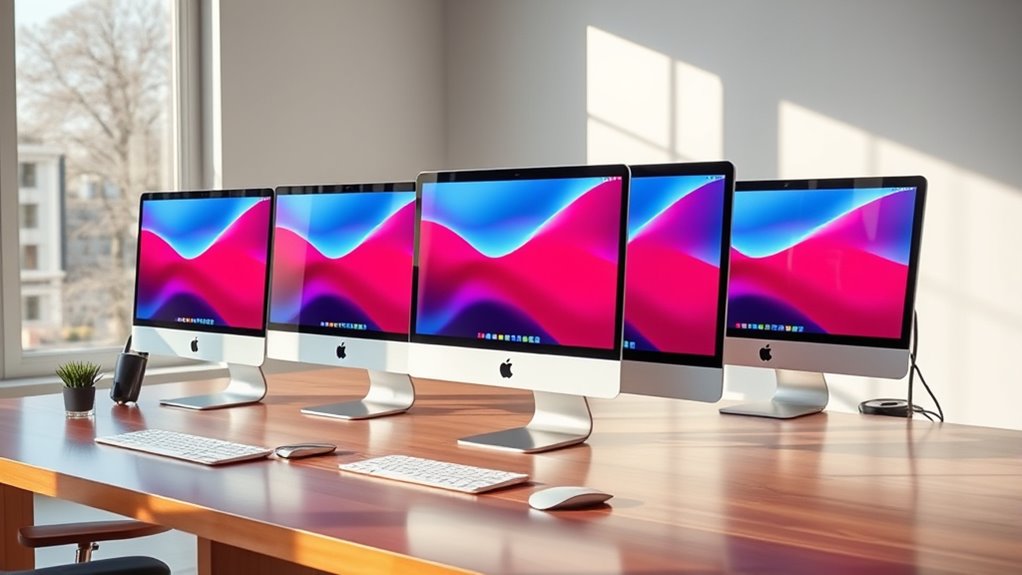

When considering renewed iMac desktops, buyers face a balance between performance, price, and longevity. The Apple 2024 iMac Air with M4 Chip stands out as the best overall for its latest hardware and sleek design, while the Apple 2021 iMac with M1 Chip offers excellent value for those who want a capable machine at a lower price. The main tradeoffs involve choosing between newer models with cutting-edge features and older ones that may still meet your needs but at a reduced cost. Continue reading for a detailed breakdown to help you find the perfect renewed iMac for your specific use case.

Give the gift of listening to someone who needs a break
- Choose a 1-, 3-, 6- or 12-month membership
- They pick the audiobooks they love
- Easy to send by email
Key Takeaways
- Newer models like the 2024 iMac Air feature the latest M4 chip, offering improved performance and efficiency.
- The 2021 M1-based iMacs provide strong value, especially with larger SSD options, but lack some of the newest hardware enhancements.
- Older 2017 models are more budget-friendly but come with older processors and potentially limited software support.
- Display size and resolution remain consistent across models, but RAM and storage options vary significantly, affecting multitasking and storage needs.
- All options are renewed, so build quality and longevity depend heavily on seller condition and warranty terms.
| Apple 2024 iMac Air with M4 Chip, 24-inch Retina Display, 16GB RAM, 256GB SSD, Silver (Renewed) |  | Best Overall for Power and Versatility | Processor: Apple M4, 8-core, 3.2 GHz | Display: 24-inch Retina, 4480×2520 resolution, supports 1 billion colors | Memory: 16GB SDRAM | VIEW ON AMAZON | See Our Full Breakdown |
| Apple 2021 iMac with M1 Chip, 24-inch, 8GB RAM, 256GB SSD, Blue (Renewed) |  | Best Value for Vibrant Design and Efficient Performance | Display: 24-inch 4.5K Retina | Processor: Apple M1 chip with 8-core CPU | GPU: 7-core GPU | VIEW ON AMAZON | See Our Full Breakdown |
| Apple 2017 iMac with 2.3GHz Intel Core i5, 21.5-inch, 8GB RAM, 256GB SSD (Renewed) |  | Best Budget Option for Basic Performance | Display Size: 21.5 inches | Processor: 2.3GHz Intel Core i5 | RAM: 8GB | VIEW ON AMAZON | See Our Full Breakdown |
| Apple iMac with M1 Chip (24-inch, 8GB RAM, 256GB SSD) – Silver (Renewed) |  | Best for Everyday Performance and Connectivity | Display: 24-inch 4.5K Retina | Processor: Apple M1, 8-core CPU | GPU: 7-core GPU | VIEW ON AMAZON | See Our Full Breakdown |
| Apple iMac 21.5-inch 2.7GHz Core i5 All-in-One Desktop (Renewed) |  | Best for Basic Productivity and Cost Savings | Display Size: 21.5 inches | Processor: 2.7GHz Core i5 | Memory: 8GB | VIEW ON AMAZON | See Our Full Breakdown |
| Apple 2021 iMac with M1 Chip, 24-inch, 8GB RAM, 512GB SSD, Silver (Renewed) |  | Best Creative Performance | Display: 24-inch 4.5K Retina | Processor: Apple M1 chip with 8-core CPU and 8-core GPU | RAM: 8GB | VIEW ON AMAZON | See Our Full Breakdown |
| renewed imac desktop | Processor | Storage | Display | Memory |
|---|---|---|---|---|
| Apple 2024 iMac Air with M4 Ch | Apple M4, 8-core, 3.2 GHz | 256GB SSD | 24-inch Retina, 4480×2520 resolution, supports 1 billion colors | 16GB SDRAM |
| Apple 2021 iMac with M1 Chip | Apple M1 chip with 8-core CPU | 256GB SSD | 24-inch 4.5K Retina | — |
| Apple 2017 iMac with 2.3GHz In | 2.3GHz Intel Core i5 | 256GB SSD | — | — |
| Apple iMac with M1 Chip | Apple M1, 8-core CPU | 256GB SSD | 24-inch 4.5K Retina | 8GB |
| Apple iMac 21.5-inch 2.7GHz Co | 2.7GHz Core i5 | 256GB SSD | — | 8GB |
| Apple 2021 iMac with M1 Chip | Apple M1 chip with 8-core CPU and 8-core GPU | 512GB SSD | 24-inch 4.5K Retina | — |
More Details on Our Top Picks
Apple 2024 iMac Air with M4 Chip, 24-inch Retina Display, 16GB RAM, 256GB SSD, Silver (Renewed)
This 2024 iMac Air stands out for its powerful M4 chip with 8 cores, offering speeds that surpass the M1-based options like the 2021 iMac. Its stunning 24-inch Retina display with billion-color support makes it ideal for multimedia creators and professionals needing vibrant visuals. While the premium price might deter budget-conscious buyers, the 16GB RAM and fast SSD ensure smooth multitasking and quick data access. Compared with the 2021 M1 iMac, this model provides a leap in performance but comes at a higher cost and weight, which might be a concern for portability or cluttered spaces. It is best suited to power users who need a capable, future-proof desktop that handles demanding tasks efficiently.
Pros:- Powerful M4 chip with 8 cores for demanding workloads
- Stunning 24-inch Retina display supporting 1 billion colors
- Large 16GB RAM enhances multitasking and future-proofing
- Sleek, colorful design fits modern spaces
Cons:- Premium price may be prohibitive for some buyers
- Limited storage at 256GB SSD could require external solutions
- Heavy weight over 22 pounds makes placement less flexible
Best for: Creative professionals or power users who need high performance and vibrant visuals
Not ideal for: Budget-conscious buyers or those seeking a lightweight, portable setup
- Processor:Apple M4, 8-core, 3.2 GHz
- Display:24-inch Retina, 4480×2520 resolution, supports 1 billion colors
- Memory:16GB SDRAM
- Storage:256GB SSD
- Operating System:Mac OS
- Color:Silver
Our verdict“This pick is best for those who prioritize power, display quality, and future readiness despite a higher cost and weight.”
Apple 2021 iMac with M1 Chip, 24-inch, 8GB RAM, 256GB SSD, Blue (Renewed)
The 2021 M1 iMac in blue offers a vivid 24-inch 4.5K Retina display that makes it perfect for everyday multimedia use. Its efficient M1 chip provides reliable speed for most tasks, though it lags behind the newer M4 in raw power. Compared with the 2024 model, it’s more affordable and lighter, making it a smart choice for users who prioritize value and design. However, the limited port options and only 8GB RAM could hinder productivity for demanding multitasking. While it won’t match the future-proofing of the M4 model, it remains a solid pick for casual users and those who want a vibrant, sleek desktop without breaking the bank.
Pros:- Vivid 24-inch 4.5K Retina display
- Efficient M1 chip with good performance for everyday tasks
- Vibrant, sleek design in blue
- Lightweight and more affordable than newer models
Cons:- Limited port options restrict peripheral connectivity
- Only 8GB RAM might limit heavy multitasking
- Renewed condition may not appeal to all buyers
Best for: Casual users or students seeking a stylish, capable desktop at a lower price
Not ideal for: Power users or professionals needing maximum performance and expandability
- Display:24-inch 4.5K Retina
- Processor:Apple M1 chip with 8-core CPU
- GPU:7-core GPU
- RAM:8GB
- Storage:256GB SSD
- Color:Blue
Our verdict“This model suits those who want a vibrant, capable desktop with excellent display quality at an accessible price point.”
Apple 2017 iMac with 2.3GHz Intel Core i5, 21.5-inch, 8GB RAM, 256GB SSD (Renewed)
This 2017 iMac offers a solid 2.3GHz Intel Core i5 processor paired with a 21.5-inch LED display, making it suitable for basic computing needs. Compared to newer models like the 2021 or 2024 iMacs, it is less powerful and runs an older macOS version, limiting compatibility with recent software updates. Its renewed status makes it a budget-friendly choice, but the battery capacity (if used with a keyboard/mouse) is below the new, and the limited upgrade options reflect its age. Overall, it’s a good entry-level option or for users who don’t need cutting-edge performance, but it’s less future-proof.
Pros:- Powerful 2.3GHz Intel Core i5 processor
- High-quality 21.5-inch LED display
- Renewed with minimal cosmetic imperfections
- Includes 8GB RAM and fast SSD
Cons:- Older macOS version limits software compatibility
- Limited upgrade options and aging hardware
- Accessories may not be original
Best for: Budget-conscious users or those with light computing needs
Not ideal for: Power users or anyone needing the latest features and performance
- Display Size:21.5 inches
- Processor:2.3GHz Intel Core i5
- RAM:8GB
- Storage:256GB SSD
- Operating System:macOS Sierra
- Weight:21 pounds
Our verdict“This model works well for basic tasks but falls short for demanding workflows or future updates.”
Apple iMac with M1 Chip (24-inch, 8GB RAM, 256GB SSD) – Silver (Renewed)
The 24-inch M1 iMac in silver offers a high-resolution 4.5K Retina display combined with the efficient M1 chip that handles everyday tasks seamlessly. Its renewed condition ensures it looks and works like new, with multiple ports including Thunderbolt and USB, making it more versatile than some other refurbished options. While it’s less powerful than the latest M4 model, it provides reliable performance for typical home or office use. The main tradeoff is the limited 8GB RAM and modest storage, which might not suffice for heavy multitasking or media editing. It makes a compelling choice for users seeking Apple’s latest chip architecture at a lower price, especially if connectivity is a priority.
Pros:- High-resolution 4.5K Retina display
- Efficient M1 chip delivers responsive performance
- Multiple ports including Thunderbolt and USB
- Renewed, inspected to look and work like new
Cons:- Limited to 8GB RAM, restricting heavy multitasking
- 256GB SSD may fill quickly with large files
- Refurbished condition may not appeal to all
Best for: Home users or small business owners needing reliable performance and good connectivity
Not ideal for: Power users or creative professionals requiring maximum performance and expandability
- Display:24-inch 4.5K Retina
- Processor:Apple M1, 8-core CPU
- GPU:7-core GPU
- Memory:8GB
- Storage:256GB SSD
- Additional Features:FaceTime HD camera, six speakers
Our verdict“This iMac provides reliable everyday performance with good connectivity for users who want Apple’s latest chip at a lower cost.”
Apple iMac 21.5-inch 2.7GHz Core i5 All-in-One Desktop (Renewed)
This 21.5-inch iMac with a 2.7GHz Core i5 offers a reliable entry-level experience for simple tasks like browsing, email, and light office work. While it’s more affordable than newer models like the 2021 or 2024 iMacs, it runs an older macOS version (10.12 Sierra) and has limited upgrade potential. Its renewed status helps keep costs down, but the hardware is aging, and the maximum RAM is 8GB, which may hinder multitasking. For those who prioritize affordability over performance and don’t mind older software, it can be a suitable choice, but it’s less capable for modern or demanding applications.
Pros:- Reliable 21.5-inch display with good resolution
- Fast SSD storage for quick data access
- Renewed and tested to work like new
- Affordable entry point into Apple desktops
Cons:- Older macOS version limits compatibility
- Limited to 8GB RAM maximum
- No included accessories or packaging
Best for: Budget-minded users with basic computing needs
Not ideal for: Power users or those requiring current software and performance
- Display Size:21.5 inches
- Processor:2.7GHz Core i5
- Memory:8GB
- Storage:256GB SSD
- Operating System:macOS 10.12 Sierra
- Weight:12.5 pounds
Our verdict“This iMac is suitable for basic users who need a dependable, budget-friendly desktop for everyday tasks.”
Apple 2021 iMac with M1 Chip, 24-inch, 8GB RAM, 512GB SSD, Silver (Renewed)
This 2021 iMac stands out for its stunning 4.5K Retina display with P3 wide color, making it ideal for creative professionals who need accurate color reproduction. Compared with the newer 2024 iMac Air with M4 chip, this model offers more robust performance thanks to the M1 chip, especially for tasks like photo editing and video production. However, the 512GB SSD provides more storage than the 256GB options in other models, but the limited port selection and absence of a dedicated GPU may hinder users with extensive connectivity or high-end graphics needs. The sleek design and high-quality audio/video features make it a compelling choice for creative workflows, but potential buyers should be aware of the limited warranty on renewed units and its basic connectivity options.
Pros:- Vivid 4.5K Retina display with wide color gamut for color-accurate work
- Powerful M1 chip delivers fast, smooth performance for creative tasks
- Sleek, slim design with vibrant color options
Cons:- Limited port options for multiple peripherals or accessories
- Renewed product may have a shorter or limited warranty
- No dedicated GPU, restricting high-end gaming or intensive graphics work
Best for: Creative professionals and content creators who prioritize display quality and performance in a compact design
Not ideal for: Gamers or users requiring extensive connectivity and high-end graphics processing
- Display:24-inch 4.5K Retina
- Processor:Apple M1 chip with 8-core CPU and 8-core GPU
- RAM:8GB
- Storage:512GB SSD
- Color:Silver
- Camera:1080p FaceTime HD
- Microphone:Studio-quality three-mic array
- Speakers:Six-speaker sound system
- Ports:Two Thunderbolt / USB 4, up to two USB 3
Our verdict“This iMac offers excellent display and performance for creative professionals who value aesthetics and color accuracy, but it may fall short for users needing extensive ports or gaming capabilities.”

How We Picked
To evaluate these renewed iMac desktops, I prioritized performance, hardware freshness, and value for money. I examined processor capabilities, RAM, storage options, and display quality to ensure each model could handle current productivity and creative tasks. Reliability and warranty options were also key, as these impact long-term satisfaction. The ranking reflects a combination of hardware recency, performance, and price, aiming to recommend options suitable for different user needs—from casual users to power users. This approach ensures that each pick offers tangible benefits without overlooking the tradeoffs involved in buying renewed products.| renewed imac desktop | Operating System | Color |
|---|---|---|
| Apple 2024 iMac Air with M4 Ch | Mac OS | Silver |
| Apple 2021 iMac with M1 Chip | — | Blue |
| Apple 2017 iMac with 2.3GHz In | macOS Sierra | — |
| Apple iMac with M1 Chip | — | — |
| Apple iMac 21.5-inch 2.7GHz Co | macOS 10.12 Sierra | — |
| Apple 2021 iMac with M1 Chip | — | Silver |
Factors to Consider When Choosing Renewed Imac Desktops
Choosing a renewed iMac desktop involves more than just comparing specs. Buyers should consider factors like hardware longevity, price fluctuations, and the seller’s warranty policies. Understanding these broader considerations can prevent common pitfalls, such as overpaying for outdated hardware or neglecting potential repair costs. The right choice depends on your intended use, budget, and comfort with potential repairs or upgrades. Here are key factors to guide your decision:Performance and Hardware Recency
Prioritize models with the latest M-series chips, such as the M1 or M4, as they deliver better performance and energy efficiency. Older Intel-based models may still be sufficient for basic tasks but can fall behind in demanding applications. The hardware’s age also impacts software support, so newer chips generally ensure longer usability. Consider your workload—creative professionals will benefit from faster processors and more RAM, while casual users can often get by with lower-end configurations.
Display and Size
All iMacs in this roundup feature a 24-inch Retina display, but differences in resolution and color accuracy can influence your experience—especially if you do photo editing or design work. Think about your workspace—if desk space is limited, a more compact model might suit you better. Conversely, larger screens can boost productivity for multitasking or detailed work, but they also come at a higher price point.
Storage and RAM
More RAM and larger SSDs improve multitasking and file management, especially for professional workloads. Be cautious with models that have only 8GB of RAM if you plan to run multiple demanding applications or keep many browser tabs open. Upgrading storage in a renewed product can be costly or limited, so select a model with enough capacity for your needs. Remember, storage and RAM are often not upgradable after purchase, so choose wisely.
Warranty and Seller Reputation
Always review the warranty options and seller ratings when buying renewed iMacs. A strong warranty can cover repairs or replacements if hardware issues arise, which is especially important for high-cost devices. Reputable sellers will often certify their products, ensuring they meet certain quality standards. Avoid deals that seem too good to be true without any warranty or return policy, as this can lead to higher repair costs later.
Price and Long-term Value
While it might be tempting to opt for the lowest price, consider the long-term value—newer or higher-spec models generally last longer and perform better over time. Sometimes paying a bit more upfront for a recent model with better hardware can save money and frustration later. Balance your budget with your performance needs, and remember that savings on a lower-tier model might mean sacrificing future compatibility or speed.
Frequently Asked Questions
Are renewed iMacs as reliable as new ones?
Renewed iMacs can be just as reliable as new units, especially if purchased from reputable sellers offering certification and warranties. These products undergo testing and refurbishment to meet quality standards, reducing the risk of hardware failure. However, since they are pre-owned, there’s a slightly higher chance of wear and tear, so examining warranty coverage and seller ratings becomes even more critical. Overall, with proper seller choice, a renewed iMac can serve you well for years.
Is it worth paying extra for the latest M4 chip in a renewed iMac?
Opting for the latest M4 chip offers notable performance gains, especially for demanding tasks like video editing, gaming, or professional design work. Paying extra for a newer processor can extend your device’s useful life by keeping it compatible with future software updates. However, if your needs are more basic, a slightly older model with an M1 chip might provide excellent performance at a lower price. Consider your workload and budget before prioritizing the newest hardware.
Can I upgrade the storage or RAM in a renewed iMac?
Most iMacs, especially the newer models, have their RAM soldered in and are not easily upgradable after purchase. Storage options might be more flexible, but upgrading SSDs can be complex and costly, often requiring professional service. When buying renewed, it’s best to select a configuration with enough RAM and storage to meet your needs from the start. Planning ahead ensures you won’t face limitations or costly upgrades later on.
How do I verify the condition of a renewed iMac before buying?
Always review detailed seller descriptions, including photos and condition reports. Reputable vendors will certify their products and offer warranties, which can include testing for performance and hardware integrity. Ask about the refurbishment process and whether the device has undergone any repairs or replacements. If possible, choose sellers that provide return policies, giving you peace of mind if the device doesn’t meet expectations upon arrival.
How long can I expect a renewed iMac to last?
The lifespan of a renewed iMac depends on its hardware and how well it’s maintained, but high-quality refurbished units with recent hardware can often last 4-6 years or longer. Factors like software updates, usage intensity, and physical wear influence longevity. Investing in a newer model with the latest chips and components generally extends its useful life, and regular maintenance can help preserve its performance over time.
Conclusion
For those seeking the best overall experience, the Apple 2024 iMac Air with M4 Chip offers cutting-edge performance and longevity. Budget-conscious buyers will find the Apple 2021 iMac with M1 Chip provides excellent value, especially with larger storage options. Beginners or casual users might prefer the more affordable older models like the 2017 iMac, which still performs adequately for everyday tasks. Creative professionals should prioritize higher-spec options with more RAM and storage, while those needing a reliable secondary machine can opt for certified refurbished units with strong warranties. Carefully matching your needs with these options will help you make a purchase that balances performance, price, and future-proofing.