When deciding if it’s time to act using an escalation decision tree, you should assess the severity and impact of the issue against predefined criteria and thresholds. Follow the step-by-step guidance to evaluate whether immediate escalation is necessary based on risk, safety concerns, or operational disruption. Clear communication channels and protocols help prevent delays. If you want to guarantee your response is consistent and effective, exploring the key factors further will give you the confidence to act decisively.
Key Takeaways
- Evaluate issue severity and potential impact against predefined thresholds to determine if escalation is necessary.
- Follow established communication protocols to notify appropriate personnel promptly.
- Assess risk factors such as safety, compliance, and operational disruption before acting.
- Use the escalation decision tree to systematically guide whether immediate action or lower-level handling suffices.
- Regularly review and update escalation criteria based on recent incidents and evolving organizational risks.
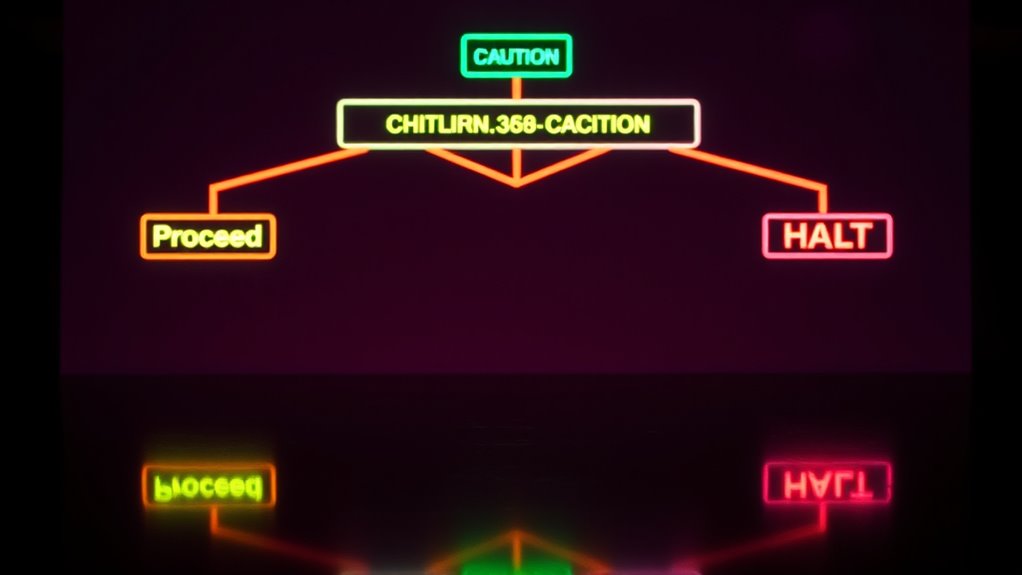
An escalation decision tree is a visual tool that helps you determine when and how to escalate issues within a process or organization. It serves as a step-by-step guide, guaranteeing you act promptly and appropriately when problems arise. By mapping out specific conditions and responses, it allows you to assess situations systematically, reducing uncertainty and preventing delays. Developing an effective escalation tree begins with understanding the importance of risk assessment. You need to evaluate the severity and potential impact of an issue, considering factors like safety, compliance, and operational continuity. This assessment helps you decide whether a problem warrants escalation or can be handled at a lower level. Once you identify that escalation is necessary, the tree guides you through predefined steps, which are aligned with your organization’s communication protocols. Clear communication channels are essential; they ensure the right people are informed at the right time, preventing miscommunication or overlooked issues. The decision tree incorporates these protocols by defining who should be notified, how quickly, and through what means—be it email, phone call, or an incident management system. This structure minimizes confusion and ensures a swift response. When using an escalation decision tree, it’s important to keep the risk assessment at the core of your decision-making process. For example, if a technical failure could lead to significant downtime or safety hazards, the tree prompts immediate escalation to the appropriate team or manager. Conversely, minor issues with minimal impact might require only temporary monitoring or lower-level assistance. The tree’s design should also include specific criteria for escalation, such as thresholds for downtime, error rates, or safety violations. These criteria help remove guesswork, making the process objective and consistent. It’s equally important that your communication protocols are well-defined and integrated into the escalation process. This means establishing who communicates with whom, what information must be included, and how follow-up should be handled. When everyone understands and follows these protocols, you reduce the risk of miscommunication, which can delay resolution or escalate issues unnecessarily. As you implement your escalation decision tree, regularly reviewing and updating it based on real incidents and evolving risks will keep it effective. Incorporating lessons learned from past issues ensures that your risk assessment remains accurate and that communication protocols adapt to new challenges. Additionally, understanding the contrast ratio of your systems can help determine the urgency of escalation in visual-related issues, ensuring clarity in critical situations. In the end, an escalation decision tree isn’t just about following a flowchart; it’s about creating a reliable framework that guides you through complex situations, safeguarding your organization’s operations and reputation. When you combine thorough risk assessment with robust communication protocols, you’re empowered to act swiftly, confidently, and appropriately—knowing that each escalation is justified and well-managed.

ServiceNow for IT Service Management: Manage, Transform, and Deliver IT Operations and Services with Incident, Problem and Change Management Using ServiceNow and ITSM Framework (English Edition)
As an affiliate, we earn on qualifying purchases.
As an affiliate, we earn on qualifying purchases.
Frequently Asked Questions
How Do I Customize the Escalation Decision Tree for My Organization?
To customize your escalation decision tree, start by identifying your organization’s unique escalation triggers and decision criteria. Map out scenarios that require escalation, and define clear thresholds for each. Adjust the decision points based on your team’s priorities, risks, and workflow. Regularly review and refine the tree as new situations arise or processes change, ensuring it remains relevant and effective in guiding timely actions.
What Are Common Pitfalls When Implementing an Escalation Decision Tree?
You might encounter common pitfalls like overlooking communication gaps, which can cause confusion during escalation. Rigid protocols may also hinder flexibility, making it hard to adapt to unique situations. To avoid these issues, regularly review and update your escalation process, foster open communication, and guarantee protocols allow for some adaptability. This way, your escalation decision tree remains effective, responsive, and minimizes misunderstandings.
How Frequently Should the Escalation Decision Tree Be Reviewed?
You should review your escalation decision tree at least quarterly, or more often if your environment’s rapidly changing. An update schedule keeps it relevant and effective, preventing outdated steps from causing delays. Ironically, many organizations forget to do this regularly, risking missteps when escalation is needed most. So, set a reminder, stick to your review frequency, and guarantee your decision tree always reflects current realities.
Can the Escalation Decision Tree Integrate With Existing Management Software?
Yes, you can integrate the escalation decision tree with your existing management software. This enables seamless software integration, ensuring your workflows are streamlined. By connecting the decision tree with your management tools, you automate your workflow processes, reducing manual effort and improving response times. Make sure your software supports API or plugin options for smooth integration, and customize the setup to fit your specific escalation procedures.
What Training Is Recommended for Staff Using the Escalation Decision Tree?
Imagine stepping into a role-playing scenario, where your communication skills shine as you navigate the escalation process. You should receive training that includes role-playing exercises to build confidence and clarity in decision-making. These scenarios help you recognize cues for escalation, improve your communication skills, and guarantee you’re prepared to act swiftly when needed. Practical, hands-on training makes the escalation process second nature, empowering you to handle situations effectively.

Suzn Quilts Mini Tree Template Set Notion, Clear
Mini Tree makes 6 inch by 9 inch Finished Blocks.
As an affiliate, we earn on qualifying purchases.
As an affiliate, we earn on qualifying purchases.
Conclusion
So, when you find yourself at the crossroads, trust the escalation decision tree as your gentle compass. It’s there to guide you softly through uncertainties, helping you navigate with clarity and confidence. Sometimes, it’s just about taking a small step forward rather than waiting for the perfect sign. Remember, a thoughtful nudge now can prevent bigger ripples later. Keep your instincts tuned, and you’ll find your way with grace and purpose.

Risk Assessment: Tools, Techniques, and Their Applications
As an affiliate, we earn on qualifying purchases.
As an affiliate, we earn on qualifying purchases.

Practical Airport Operations, Safety, and Emergency Management: Protocols for Today and the Future
As an affiliate, we earn on qualifying purchases.
As an affiliate, we earn on qualifying purchases.