
TL;DR
Building your own AI workstation used to be cheaper, but component shortages and bulk buying have shifted the balance. Now, choosing depends on speed, control, and ongoing costs, with prebuilt options often matching or beating DIY prices. Your decision should reflect your workload, expertise, and long-term goals.
Ever wondered whether you should roll up your sleeves and build that AI beast yourself or just buy one ready to go? The old rule—build cheaper, buy faster—no longer holds true in 2026. The AI boom, supply chain hiccups, and bulk buying have flipped the script. Now, the choice hinges on more than just dollars; it’s about control, speed, maintenance, and how you want to run your AI projects.
If you’re serious about AI, this isn’t just about saving a few bucks anymore. It’s about weighing the real costs of building a machine tailored to your needs versus the convenience and support that come with a prebuilt system. Let’s break down what’s really happening in the 2026 landscape—and help you decide which path fits your goals and resources.
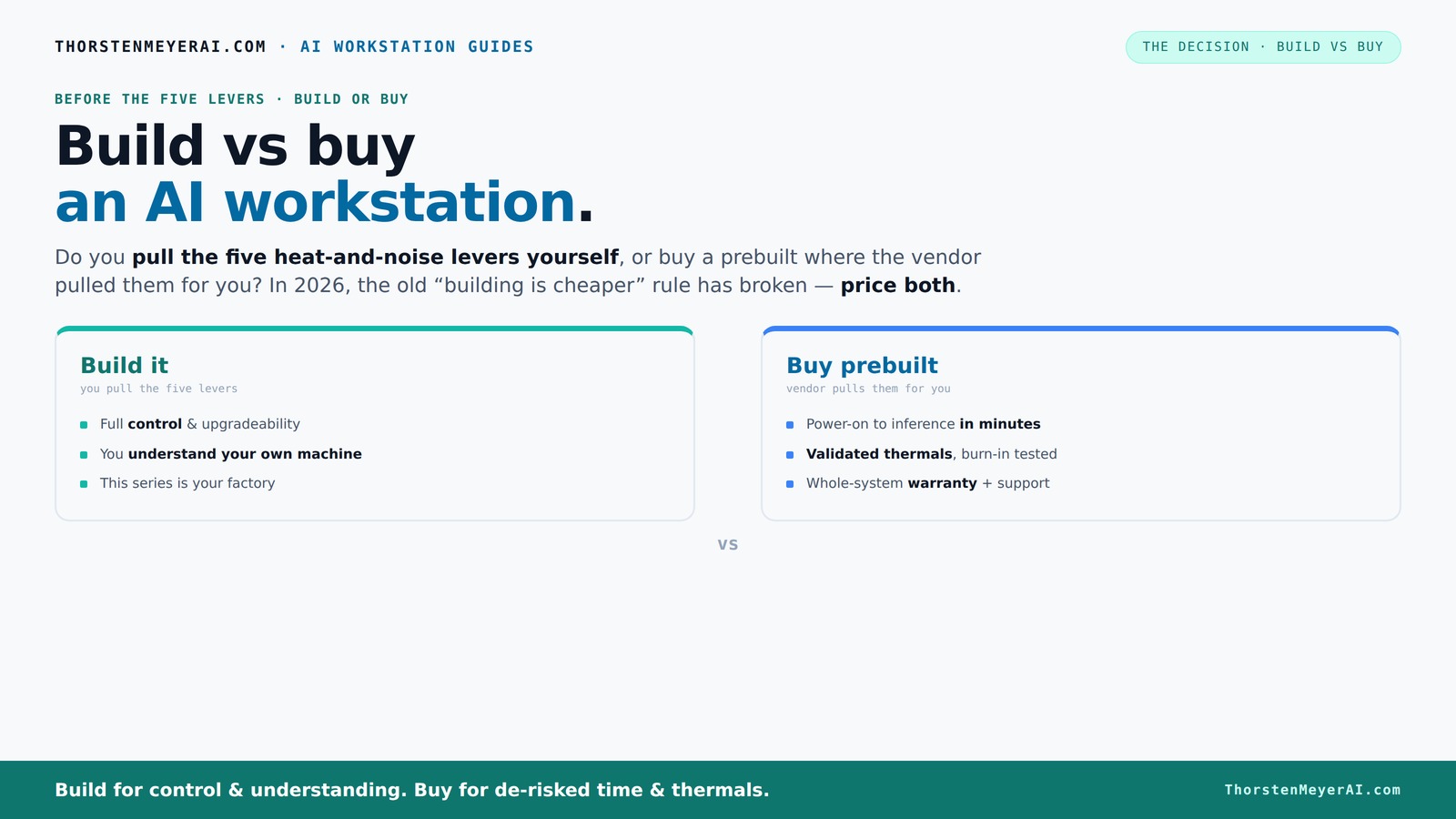
Build vs buy
an AI workstation.
The real question behind this whole series: do you pull the five heat-and-noise levers yourself, or buy a prebuilt where the vendor pulled them for you? And in 2026, the old “building is cheaper” rule has broken. Match your situation in Part 3.
Key Takeaways
- Component shortages and bulk buying have leveled the cost playing field, often favoring prebuilt systems in 2026.
- Prebuilts save time, come with validated thermals, and include support, making them ideal for quick deployment and risk reduction.
- Building your own system offers total control over components, cooling, and tuning but demands time, expertise, and ongoing maintenance.
- Hybrid solutions blend the speed of prebuilt with the customization of DIY, suited for organizations wanting a tailored yet fast setup.
- Always compare total cost of ownership over 3 years, including support, upgrades, and hidden costs—not just initial price.
As an affiliate, we earn on qualifying purchases.
Why Building Your Own AI Workstation Is No Longer the Cheapest Option
Building used to be cheaper, but not anymore. The recent surge in component prices—thanks to shortages and high demand—has pushed the cost of DIY rigs up at least 20-30%. For example, what used to cost around $1,000 now easily hits $1,250 or more, especially when factoring in high-end GPUs and DDR5 RAM.
Moreover, bulk-buying by major vendors means they can lock in lower prices, passing savings to you—if you compare apples to apples. This means a prebuilt with premium thermals, validated cooling, and warranty can cost just as much or less than a DIY build. Recent market data shows that the cost gap has practically closed, or even flipped, in favor of prebuilt systems. This shift matters because it forces a reconsideration of where your money is best spent—whether on customization and learning through building or on the reliability and time saved by buying ready-made.
So, if you’re chasing the lowest price, don’t assume building is the answer anymore. Instead, you need to do a fresh comparison based on your specific configuration and long-term value, including potential hidden costs like troubleshooting or future upgrades.
As an affiliate, we earn on qualifying purchases.
The Five Levers: Who’s Actually Fine-Tuning Your Machine?
Making an AI workstation run cool and quiet is a delicate dance. It’s about five levers: undervolting the GPU, matching the right cooler, optimizing airflow, tuning fans, and choosing the perfect placement. You can learn more about fine-tuning your hardware for optimal performance. These adjustments aren’t just about comfort—they directly influence performance, longevity, and operational costs. For instance, a well-tuned cooling system reduces thermal throttling, which maintains peak compute speeds and can extend hardware lifespan. Conversely, poor thermal management can cause system instability, increased noise, and hardware failures, leading to costly replacements or downtime.
When you buy a prebuilt, the vendor handles all of this—testing, tuning, and validating thermal performance. Many vendors run 24–48 hours of burn-in testing before shipping, ensuring your system won’t throttle under heavy loads. This validation reduces the risk of unexpected failures and performance drops, which are common pitfalls for DIY builders who may lack the time, experience, or tools to optimize thermal profiles effectively. This control over thermal and acoustic performance is crucial for AI workloads, where sustained high power draw can lead to overheating if not managed properly. The implication is that prebuilt systems often provide a more reliable, quieter operation out-of-the-box, saving you from the trial-and-error process that building yourself entails.
Building yourself? You pull these levers. You choose a quiet GPU, like the RTX 4070 Ti, and undervolt it following expert guides (see here). You pick a case with sound-dampening features and set up airflow for maximum cooling without noise (see options here). The process is rewarding but requires patience, knowledge, and some trial-and-error. Achieving optimal thermal performance is a nuanced process that directly impacts operational costs and system stability, making control a key consideration in the build vs buy debate.
As an affiliate, we earn on qualifying purchases.
Understanding the Build vs Buy Spectrum: Which Approach Fits Your Needs?
Choosing between building and buying isn’t just about cost—it's also about where you fall on the spectrum of control, customization, and convenience. For more insights, visit Wired Workout for smart home gym equipment that emphasizes tailored setups. Building your own system allows you to select every component, from the GPU to the power supply, and tailor the cooling and airflow to your specific workload. This level of customization can optimize performance and energy efficiency but requires time, knowledge, and ongoing maintenance. It’s perfect for enthusiasts, researchers, or those who want to learn the intricacies of hardware tuning.
On the other hand, prebuilt systems are designed for quick deployment and reliable operation. They often come with validated thermal solutions, warranty support, and professional assembly, minimizing your setup time and reducing the risk of thermal or hardware issues. For busy professionals or teams who need to get started fast, prebuilt offers a compelling balance of performance and peace of mind.
Understanding your priorities—whether it’s maximum control, minimal hassle, or a balance of both—will help you decide which approach aligns with your long-term goals. Consider reading about personal development philosophies to clarify your decision-making process.
As an affiliate, we earn on qualifying purchases.
Frequently Asked Questions
What is the real cost difference between building and buying?
In 2026, component shortages have pushed DIY prices higher, often matching prebuilt costs. Buying can include support, validated thermals, and warranties, which might save money on maintenance and troubleshooting long-term. Always compare specific configurations to understand total value, considering hidden costs such as time spent troubleshooting, potential hardware failures, and future upgrades. The decision isn't just about initial expense but about the ongoing operational costs and reliability, which can significantly influence total cost of ownership over several years.How long does each option take to deploy?
Building a custom AI workstation typically takes weeks to months, depending on component availability, assembly complexity, and your familiarity with the process. Prebuilt systems, by contrast, can be operational within days—simply unbox, connect power and peripherals, and start working. This rapid deployment is crucial for projects with tight timelines or immediate needs, reducing delays caused by sourcing parts or troubleshooting assembly issues.When does it make sense to build instead of buy?
Building makes sense if you enjoy tinkering, want full control over hardware configurations, and need a system optimized for very specific workloads or proprietary workflows. It’s also advantageous if you have the technical skills to troubleshoot and maintain hardware, or if you want to learn and experiment as part of the process. For example, researchers aiming to fine-tune GPU settings for maximum inference speed or customizing cooling for noise reduction will find value in building their own. However, this approach requires time, patience, and a willingness to manage ongoing maintenance and troubleshooting.What hidden costs should I expect with a build path?
Hidden costs include significant time investment in troubleshooting hardware or software issues, ongoing maintenance, and future upgrades. Hardware failures or thermal inefficiencies can lead to unexpected expenses and downtime, especially if you lack experience. Additionally, the need for specialized tools, replacement parts, or professional assistance can add to costs over a 3–5 year period. These hidden expenses can sometimes surpass initial savings, emphasizing the importance of considering total cost of ownership rather than just upfront price.How do security and compliance influence the decision?
Prebuilt systems from reputable vendors often include security certifications and support compliance standards, which can simplify meeting organizational or industry-specific requirements. Building your own offers more control but requires diligent management of security updates, patches, and hardware integrity. Ignoring these aspects can lead to vulnerabilities or compliance issues, especially in regulated environments. The choice depends on your capacity to maintain security protocols and the criticality of compliance for your AI projects.Conclusion
In the end, choosing between build and buy hinges on your priorities. Want instant readiness and support? Prebuilt is your friend. Crave control and customization? Build your own. Or find a middle ground with a hybrid approach. The key is aligning your decision with your workload, skills, and future plans.
In 2026, the smarter move balances speed, control, and total cost—don't just chase the lowest price. Think about how your AI machine will grow, and choose the path that keeps you ahead, not just today but tomorrow.