
To make records easier to find later, you should create clear and consistent file naming rules. Use logical structures that include key details like project name, date, and version, separated by underscores or hyphens. Incorporate version numbers to track revisions and keep filenames concise without sacrificing essential info. Regularly review and update your system to stay organized. Sticking to these practices helps streamline searches and boosts overall efficiency—keep going to discover more tips.
Key Takeaways
- Use consistent naming conventions with clear structure including project, date, and version details.
- Incorporate version numbers like “v1,” “v2,” or “final” to track revisions easily.
- Include key information in filenames, such as date, project name, and status, in a standardized order.
- Keep filenames concise, avoiding unnecessary words or special characters, for better readability and searchability.
- Regularly review and update naming rules to ensure clarity and relevance over time.

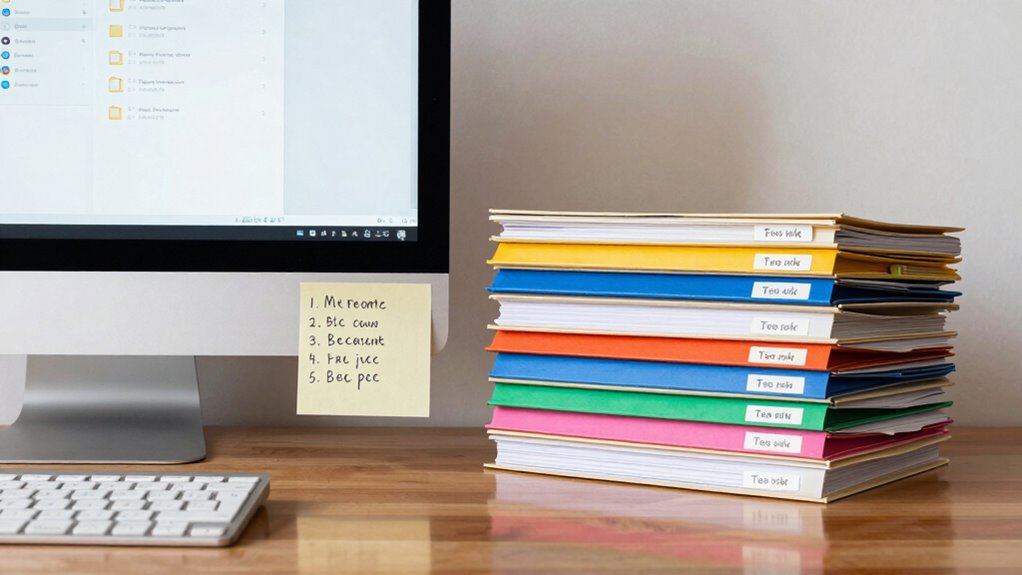
When managing multiple files, having clear and consistent naming rules can save you time and prevent confusion. Developing effective naming conventions ensures that you can identify and locate documents quickly, even months after creating them. One key aspect of this is establishing a logical structure that captures essential details like the project name, date, and version number. This approach allows for easier file organization and quick visual identification without the need to open each file. Instead, your filenames become a straightforward roadmap, guiding you effortlessly through your digital workspace.
Clear, consistent naming conventions streamline file management and help you find documents quickly.
File versioning plays a crucial role in maintaining clarity, especially when multiple revisions are involved. By including version numbers within the filename, such as “v1,” “v2,” or “final,” you prevent accidental overwrites and confusion over which file is current. Consistent versioning helps you track progress and revert to previous states if needed. It’s best to adopt a simple, uniform system—perhaps starting with the earliest version as “v1” and incrementing as new updates occur. When combined with descriptive elements, versioning becomes a powerful tool that keeps your records organized and easily navigable.
Adhering to well-thought-out naming conventions is essential. Decide on a format that includes key information—like date, project, and status—in a consistent order. For example, a file name like “2023-10-15_MarketingPlan_v3” immediately tells you when it was created, what it relates to, and which version it is. Using separators like underscores or hyphens helps keep filenames clear and readable. Avoid using spaces or special characters that might cause issues across different operating systems or cloud platforms. The goal is to create a system that’s intuitive and easy to follow, so you don’t have to spend extra time deciphering file names. Incorporating standardized naming practices can further improve your organization and streamline your workflow. Additionally, establishing naming rules that suit your specific needs can help maintain consistency across all your files.
Another tip is to keep filenames as concise as possible while still conveying necessary information. Overly long filenames can be cumbersome and may get truncated in some views. Focus on including only what’s essential, such as the project name, date, and version, and omit redundant details. Regularly reviewing and updating your naming rules ensures they stay relevant as your projects evolve. Using consistent naming conventions across all files makes it easier to implement automated sorting or searching tools, further enhancing your efficiency. This consistency also minimizes errors caused by inconsistent naming patterns, saving you time during searches or audits. When your naming conventions are consistent across all files, finding what you need becomes a quick, effortless task. Over time, this discipline minimizes errors, saves time, and keeps your digital files neatly organized.
file naming convention templates
As an affiliate, we earn on qualifying purchases.
As an affiliate, we earn on qualifying purchases.
Frequently Asked Questions
How Do I Choose the Best File Naming Convention for My Team?
You should choose a file naming convention that promotes clear file organization and consistency across your team. Use simple, descriptive naming standards that include key details like project, date, and version number. Keep names concise but informative, avoiding special characters. By establishing and following these standards, everyone can quickly find and identify files, reducing confusion and saving time. Regularly review and update your naming conventions as needed to maintain efficiency.
Should I Include Version Numbers in File Names?
Including version numbers in file names is a smart move for version control and maintaining naming consistency. It helps you track changes easily, avoid confusion, and quickly identify the latest version. When you consistently update filenames with version info, your team saves time searching for the right document. Plus, it keeps everyone on the same page, reducing errors and streamlining your workflow—making collaboration smoother and more efficient.
How Often Should I Review and Update My File Naming System?
You should review and update your file naming system at least quarterly to maintain effective file organization. Regularly checking guarantees naming consistency and helps accommodate changes in your workflow or project requirements. When you update, streamline names for clarity and consistency, making future retrieval easier. Staying proactive prevents clutter and confusion, keeping your records well-organized and accessible. Consistent review keeps your system efficient and aligned with your evolving needs.
What Tools Can Help Automate File Naming?
You can use tools like naming automation software or scripts that implement tagging strategies to streamline your file naming. These tools automatically generate consistent, descriptive names, saving you time and reducing errors. Many applications, like Dropbox, Google Drive, or dedicated automation tools like Zapier, support automated naming and tagging strategies, helping you keep your records organized and easy to find later. This way, you focus on your work, not manual file management.
How Do I Handle Files With Similar Names?
To handle files with similar names, focus on duplicate file management and naming consistency strategies. You can add unique identifiers like dates, version numbers, or project codes to differentiate files. Regularly review and organize your files to prevent clutter. Using consistent naming conventions helps you quickly identify and locate specific documents, reducing confusion and saving time. Automated tools can also assist in detecting duplicates and maintaining organized, distinct file names.

LAMU Photo Organizer Software to Setup Your Own Computer or USB Drive of Any Storage Size.
Unique photo manager software automatically organize and find your photos/videos by timeline, place or map, people, camera, relation,…
As an affiliate, we earn on qualifying purchases.
As an affiliate, we earn on qualifying purchases.
Conclusion
By following simple, strategic, and systematic file naming rules, you’ll foster a foundation for fast, frictionless file retrieval. Consistently combining clear conventions, concise codes, and chronological cues creates a cohesive, clutter-free catalog. This disciplined approach guarantees your files stay organized, accessible, and adaptable, saving you time and stress. Ultimately, adopting these disciplined data directives delivers durable, dependable documentation, driving efficiency and easing your everyday tasks with effortless ease.

General Tools 890 Adjustable File and Tool Handle, Natural Wood
ADD A LARGE HANDLE- To your files, reamers, hacksaw blades and other tang handled tools
As an affiliate, we earn on qualifying purchases.
As an affiliate, we earn on qualifying purchases.

End Tab File Folder A to Z Index Guides Heavy Duty, 25 Guides
1 Set A to Z
As an affiliate, we earn on qualifying purchases.
As an affiliate, we earn on qualifying purchases.