
An escalation decision tool guides you through a step-by-step process to determine when and how to escalate issues efficiently. It helps you evaluate urgency, impact, and authority, ensuring you act promptly and appropriately. By following the interactive walkthrough, you’ll streamline decision-making, reduce errors, and keep communication clear. Mastering this tool builds confidence and safeguards your organization. Keep going, and you’ll discover how to make escalation decisions with consistency and precision every time.

Turn your wind-down time into listening time
- Thousands of audiobooks, podcasts and originals
- Listen on your phone, tablet or Echo — also offline
- Cancel anytime
Key Takeaways
- Use the decision framework to evaluate issue severity, impact, and urgency before proceeding with escalation.
- Follow the interactive walkthrough steps to determine if escalation is necessary based on predefined criteria.
- Ensure clear documentation of assessment outcomes to facilitate consistent decision-making.
- Engage relevant stakeholders promptly through guided prompts to minimize miscommunication.
- Apply the escalation protocols systematically to improve response speed and accountability in complex situations.
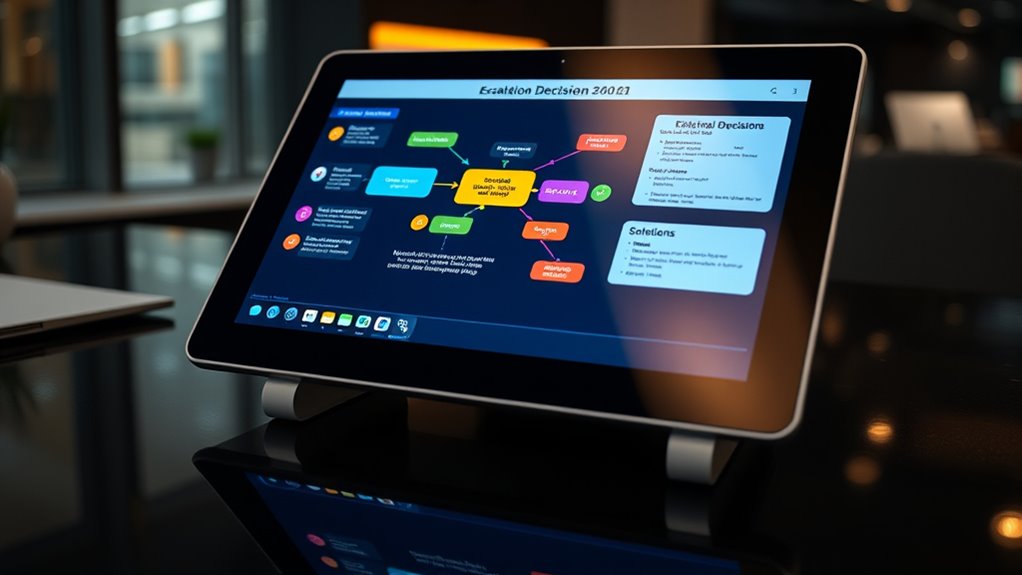
Have you ever faced a situation where deciding whether to escalate an issue felt uncertain or overwhelming? It’s a common experience, especially when the stakes are high or when you’re unsure of the proper steps to take. That’s why understanding escalation protocols and having a clear decision framework can make all the difference. These tools serve as your guide, helping you navigate complex situations confidently and efficiently. When you encounter a problem that seems beyond your immediate control or expertise, the first step is to consult the escalation protocols. These are predefined rules or procedures that specify when and how to escalate an issue, ensuring consistency and reducing hesitation. They act as a safety net, giving you a clear pathway forward without second-guessing yourself.
A decision framework complements the escalation protocols by providing a structured way to evaluate the situation. It prompts you to ask critical questions—Is the issue urgent? Does it impact safety, compliance, or client satisfaction? Is this within my authority to resolve? If the answers indicate that the problem exceeds your scope or could cause significant repercussions, it’s time to escalate. The framework helps you weigh the severity of the issue against the potential risks of delay or inaction. It encourages prompt, decisive actions while also promoting thoughtful assessment. Additionally, understanding the importance of contrast ratio can help you recognize when visual clarity is compromised, signaling the need for escalation.
Using these tools together streamlines your decision-making process. Instead of feeling paralyzed by uncertainty, you develop a systematic approach that guides you step-by-step. When you follow the escalation protocols, you ensure that the right people are informed at the right time, reducing the chances of miscommunication. The decision framework acts as your internal compass, helping you determine whether escalation is necessary based on facts and impact rather than emotion or guesswork. This combination not only saves time but also protects your organization from unnecessary risks or delays.
In practice, once you recognize the need to escalate, you document your assessment according to the decision framework, then follow the escalation protocols to communicate the issue clearly and efficiently. This disciplined approach minimizes errors, promotes accountability, and builds your confidence. Over time, becoming familiar with your escalation protocols and decision framework transforms what once felt overwhelming into a manageable, even straightforward, process. It empowers you to act decisively, knowing that you’re following best practices designed to handle complex situations effectively. Ultimately, mastering these tools helps you respond swiftly and appropriately, safeguarding your team and organization from potential setbacks.
As an affiliate, we earn on qualifying purchases.
Frequently Asked Questions
Can the Tool Handle Multiple Escalation Scenarios Simultaneously?
Yes, the tool can handle multiple escalation scenarios simultaneously. Its user interface is designed for scenario testing, allowing you to input and compare various escalation paths at once. This capability helps you evaluate different outcomes quickly, ensuring you select the best approach. The intuitive interface makes managing multiple scenarios straightforward, so you can optimize escalation decisions efficiently without getting overwhelmed.
Is There a Way to Customize Escalation Criteria?
You can absolutely customize escalation criteria to fit your needs; it’s like having a magic wand for flexibility. The tool offers impressive escalation customization options, allowing you to adjust criteria flexibility based on your specific scenarios. This means you can set thresholds, conditions, and priorities precisely how you want, ensuring the escalation process aligns perfectly with your workflows. With these features, you’re in full control of your escalation management.
How Often Is the Decision Algorithm Updated?
The decision algorithm gets updated periodically to improve accuracy and adapt to new data. You’ll find that these updates are managed through strict version control, ensuring you always use the latest, most reliable version. Typically, updates happen every few months, but the schedule can vary based on new insights or feedback. Staying informed about algorithm updates helps you make better escalation decisions and maintain consistency in your processes.
Can Users Access Historical Escalation Data?
Think of the escalation records like a diary of your past decisions—you can access these historical data anytime. You’ll find a dedicated section in the tool where past escalation data are stored, allowing you to review previous actions. This feature helps you learn from past decisions and improve. So yes, you can easily access historical data to track escalation records and make more informed choices moving forward.
Is Training Available for New Users of the Tool?
Yes, user training is available for new users of the Escalation Decision Tool. During the onboarding process, you’ll participate in thorough training sessions that cover all key features and functionalities. This guarantees you understand how to navigate the tool efficiently and make informed escalation decisions. The training is designed to be interactive, providing hands-on experience, so you can confidently use the tool from day one.
incident escalation protocol guide
As an affiliate, we earn on qualifying purchases.
As an affiliate, we earn on qualifying purchases.
Conclusion
Think of the escalation decision tool as your trusty compass in a stormy sea. When uncertainty erupts like thunder, this tool guides you like a lighthouse, shining clarity through the fog. By trusting its signals, you steer confidently past rocky shoals toward safer waters. Remember, each decision is a step forward on your voyage—your compass always points true. With this tool, you navigate challenges with confidence, turning potential storms into smooth sailing ahead.
risk assessment decision framework
As an affiliate, we earn on qualifying purchases.
As an affiliate, we earn on qualifying purchases.
communication escalation software
As an affiliate, we earn on qualifying purchases.
As an affiliate, we earn on qualifying purchases.
Fall Picks
fall essentials
As an affiliate, we earn on qualifying purchases.