
Your router’s placement still plays a vital role in your smart security setup. Proper positioning ensures reliable camera feeds, responsive sensors, and stable data transmission. Avoid interference from devices like microwaves or cordless phones, and choose open, elevated spots away from thick walls or metal objects. For larger homes, adding access points helps eliminate dead zones. Want to guarantee your system performs at its best? Keep exploring tips to optimize your network’s placement and stability.
Key Takeaways
- Proper router placement ensures reliable camera feeds and sensor alerts in smart security systems.
- Positioning the router away from interference sources prevents signal disruptions that can compromise security.
- Elevating and centralizing the router improves coverage and minimizes dead zones in the home.
- Additional access points or mesh systems help maintain consistent performance in larger homes.
- Regular monitoring and proactive adjustments optimize network stability and security system reliability.
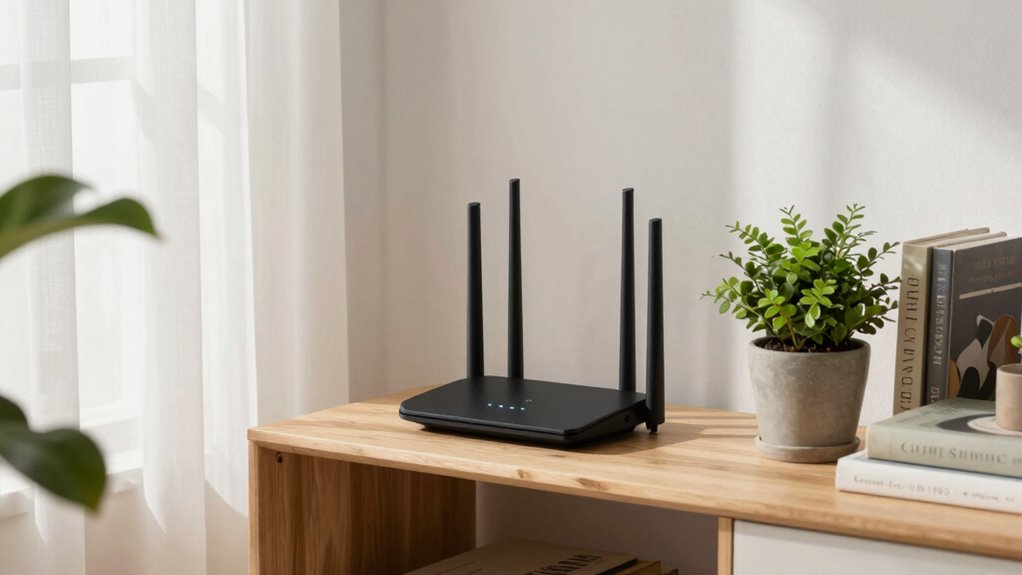
Even with the rise of smart security systems, where cameras and sensors are connected to your Wi-Fi, router placement still plays an essential role in ensuring reliable performance. If your router isn’t positioned correctly, you might experience lagging video feeds, dropped alerts, or unresponsive sensors. These issues often stem from wireless interference and poor signal optimization, both of which are directly impacted by where your router sits within your home.
Wireless interference is one of the main challenges that can diminish your security system’s effectiveness. Devices like cordless phones, microwave ovens, Bluetooth gadgets, and even neighboring Wi-Fi networks emit signals that can disrupt your router’s connection. If your router is placed near these sources, the signals can clash, weakening your network and causing delays or interruptions. To avoid this, you should position your router away from such electronic devices, ideally in a central, open location that minimizes obstacles and interference sources.
Avoid placing your router near cordless phones, microwaves, or other electronics to prevent signal interference and ensure reliable security system performance.
Signal optimization is equally important. A poorly placed router can create dead zones where your security cameras and sensors struggle to transmit data properly. To maximize signal strength, you need to elevate your router off the floor—placing it on a shelf or high piece of furniture. Keep it in an open space, avoiding enclosed areas like cabinets or closets, which can obstruct wireless signals. Remember, walls and furniture, especially those made of metal or brick, can block or weaken the Wi-Fi signal, so consider the layout of your home when choosing a spot.
Another tip for signal optimization is to avoid placing your router near large metal objects or thick walls that absorb wireless signals. If your home has multiple floors, placing the router on the middle floor often provides the best coverage. For larger homes, installing additional access points or mesh Wi-Fi systems can help extend the signal and eliminate dead zones, ensuring your security setup remains dependable no matter where you are. Additionally, understanding the importance of router placement can significantly improve your network’s performance and stability. Regularly checking your wireless interference sources and adjusting your router’s position accordingly can make a noticeable difference in your security system’s reliability. Proper placement also involves understanding interference sources, which can help you proactively minimize disruptions.
Being aware of signal strength and monitoring it regularly can help you identify issues before they impact your security. Ultimately, a well-placed router is a simple yet effective way to get the most out of your smart security setup, keeping your home safe and connected at all times.
As an affiliate, we earn on qualifying purchases.
Frequently Asked Questions
How Often Should I Reposition My Router for Optimal Security?
You should reposition your router every few months to maintain ideal security. Regular adjustments help prevent unauthorized access, safeguarding your user privacy. Keep the router’s aesthetics in mind, placing it out of sight but centrally located for better coverage. Frequent repositioning reduces the risk of physical tampering and signal interception, ensuring your smart security setup remains effective. Stay proactive by reviewing your router’s placement regularly and making adjustments as needed.
Can Router Placement Affect Smart Security Device Performance?
Your smart security device performance depends heavily on where you place your router; it’s like casting a net. Proper placement minimizes device interference and maximizes signal range, ensuring your devices communicate smoothly. If your router sits in a corner or behind thick walls, signal strength drops, creating dead zones. Position it centrally and elevate it for best coverage, so your smart security system works flawlessly without interruption.
Are There Specific Locations to Avoid Placing My Router?
You should avoid placing your router near thick walls, metal objects, or large appliances, as these create signal interference and can cause dead zones or router blind spots. Keep it away from cordless phones, microwaves, and other electronics that disrupt Wi-Fi signals. Placing your router in open, central locations helps minimize signal interference and blind spots, ensuring your smart security devices work reliably and maintain strong connectivity throughout your space.
Does Router Placement Impact Wi-Fi Speed or Connectivity?
Yes, router placement impacts Wi-Fi speed and connectivity. When you position your router most effectively, you reduce Wi-Fi interference and improve signal strength. Avoid placing it near thick walls, metal objects, or electronic devices that can cause signal disruption. By strategically placing your router, you maximize the Wi-Fi signal, leading to faster speeds and more reliable connections throughout your home. Proper placement is essential for effective signal optimization.
How Does Router Placement Influence Network Hacking Risks?
Placing your router improperly can increase hacking risks by exposing it to wireless interference or weak signal strength, which might encourage attackers to exploit vulnerabilities. When your router is in a central, open location, it minimizes interference and maintains strong security signals, making it harder for hackers to access your network. Keep it away from metal objects and electronic devices to reduce interference, and guarantee your Wi-Fi signal remains robust.
mesh Wi-Fi system for large homes
As an affiliate, we earn on qualifying purchases.
As an affiliate, we earn on qualifying purchases.
Conclusion
Remember, even with advanced smart security systems, your router’s placement is essential. A poor choice can leave blind spots or weaken your network’s security. Did you know that 80% of Wi-Fi issues are caused by bad placement? By positioning your router wisely, you not only improve coverage but also strengthen your security. Don’t overlook this simple step—your safety depends on it. Take control of your network today for a safer, smarter home.
As an affiliate, we earn on qualifying purchases.
As an affiliate, we earn on qualifying purchases.